
04 Sep WiFi 6, Mesh, and More Innovations You Can Enjoy
WiFi 6 (and even WiFi 7), Mesh network, MU-MIMO, and other innovations that will make buffering and lag a thing of the past.
The best part about gaming routers is that they are designed to prioritise gaming. If you have multiple devices connected, and one of them is your PC or laptop while you’re playing an online game, these routers will dedicate a significant portion of the bandwidth to ensure you enjoy your gaming experience.
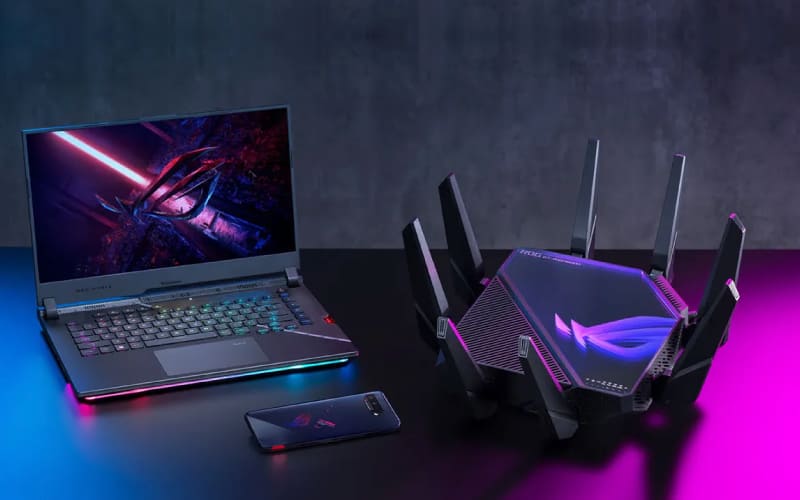
Since there are several highly competent gaming routers available at great prices, we’ve decided to help you with a list of the best gaming routers you can buy to game at full throttle with zero lag.
But before we dive in, let’s look at how to choose a gaming router and why you should opt for WiFi 6 and Mesh.
WiFi 6 is a wireless transmission standard that improves speed, stability when many devices are connected, and energy efficiency compared to previous versions. Additionally, it is a backward-compatible standard, meaning a device with WiFi 6 connectivity can connect to networks using an earlier version.
WiFi 6 is faster: the WiFi 6 standard increases from the theoretical 6.9 Gbps of WiFi 5 to 9.6 Gbps, which means it’s 40% faster than the previous version under ideal conditions, reducing latency by around 75%. Moreover, WiFi 6 can operate on both the 2.4 GHz and 5 GHz frequencies, unlike WiFi 5, which operated exclusively on 5 GHz.
It is better equipped to support many devices: WiFi 6 includes enhancements aimed at improving performance and reducing interference when many devices are connected to the internet, which is often the case. To achieve this, it utilises improvements in OFDMA, MU-MIMO, and BSS Colouring technologies.
It consumes less energy: WiFi 6 promises better energy efficiency for battery-powered connected devices. This is because it includes Target Wake Time technology, allowing a device to enter power-saving mode until it needs to connect to receive new data.
A Mesh network, also known as a mesh network, is designed to improve coverage throughout your home, reaching more corners. Instead of simply opting to buy a third-party router to replace or complement your provider’s router, a Mesh network requires at least two devices, with the option of having more depending on the size of your home.
In a Mesh network, you have a router that serves as the base station, receiving the signal from your provider’s modem or router, and then you have nodes, also known as satellites or access points, that act as repeaters to improve coverage.

Thus, a mesh network is created between all these devices. It’s not just that the router receives the signal and sends it to the nodes for them to distribute; the nodes can communicate with each other, as well as with the router, to optimise coverage and connections. And since all the devices create a single network, you won’t experience dropouts when moving from one room to another.
Additionally, the Mesh network can analyse the state of each node to decide which one you should connect to with each device to ensure the best coverage. It bases this on your distance from each node, the signal strength of each, their saturation, or the number of devices connected to each.
The biggest issue when playing online is ping or latency: the milliseconds lost can be crucial to winning or losing. The goal of gaming routers is to minimise latency by providing a connection quality similar to that of an Ethernet router.
Another difference between a gaming router and a traditional router is the bands. Traditional routers usually operate on dual bands, while gaming routers can integrate up to three bands.
This way, you can configure one of these bands exclusively for online gaming and the other two to manage the other resources your computer system needs.
In terms of hardware, gaming routers are designed for higher performance in terms of processor and RAM, unlike traditional routers, which struggle and cause latency and instability when too much is demanded of them, as is often the case with online gaming.
Finally, gaming routers can identify the needs of each game when you connect to the internet.
In this way, they manage the bandwidth to ensure that the resources needed for fast and stable gaming are not threatened by other tasks such as file downloads or background applications.
When choosing a gaming router, you should consider some aspects to ensure a fast and stable connection during your games, so you can forget about latency once and for all.
Here are the aspects to consider when choosing a gaming router:
RAM and processor
Beamforming
Bandwidth
QoS
WiFi version
All these routers are designed to enhance the gaming and streaming experience, as well as for work and leisure.
TP-Link AX6600

Asus RT-AX58U

Asus ZenWiFi AX Hybrid XP4

Asus ROG Rapture GT-BE98

Asus RT-AX82U
Sorry, the comment form is closed at this time.